Technical SEO is the practice of optimizing your website's infrastructure so search engines can find, crawl, understand, and rank your content. In 2026, strong technical SEO matters more than ever because Google prioritizes user experience signals, AI search engines pull from structured data, and crawl efficiency directly determines which of your pages get indexed This guide covers everything you need: crawl budget optimization, Core Web Vitals, JSON-LD schema markup, site architecture, and how to prepare your site for AI-powered search.
What Is Technical SEO and Why Does It Matter in 2026?
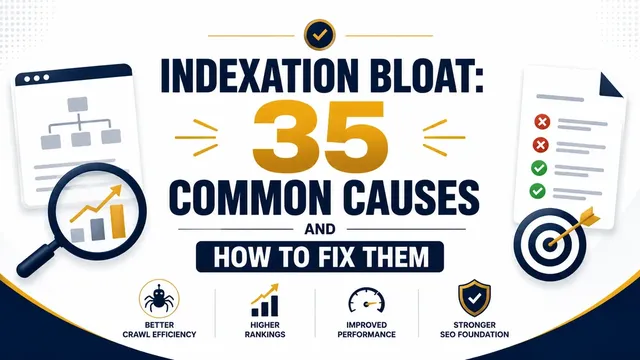
Technical SEO refers to the behind-the-scenes optimizations that help search engine crawlers access, interpret, and index your website. Unlike on-page SEO (which focuses on content and keywords) or off-page SEO (which deals with backlinks), technical SEO is about the health of your site's backend. When too many low-value pages get indexed, it creates indexation bloat causes and fixes that hurts crawl efficiency.
It matters in 2026 for four key reasons:
- Google's algorithm is UX-focused. Core Web Vitals are direct ranking signals. Your site speed, responsiveness, and visual stability affect where you rank.
- AI search engines need structure. Systems like ChatGPT, Gemini, and Perplexity pull answers from well-structured, schema-rich content. Without it, you are invisible to AI citation.
- Mobile-first indexing is standard. Google primarily uses the mobile version of your site for ranking and indexing.
- Security and speed are baseline requirements. HTTPS is non-negotiable. Slow sites lose both users and crawl budget.
As noted by Ahrefs in their beginner's guide to technical SEO, a technically optimized site creates the foundation that every other SEO effort builds on.
How Do Search Engines Crawl and Index Your Site?
Search engines discover your content through a three-step process:
- Crawling. Automated bots (Googlebot, Bingbot) follow links across the web to find new and updated pages.
- Rendering. The browser renders the page, executing JavaScript to see the full content.
- Indexing. Google analyzes the rendered content and stores it in its index. Only indexed pages can appear in search results.
If any step fails, your page does not rank. Technical SEO ensures all three steps work smoothly.
How to Optimize Crawl Budget for Better Indexing
Crawl budget is the number of URLs Googlebot crawls on your site within a given time frame. For small sites (under a few thousand pages), crawl budget is rarely an issue. For larger sites, optimizing it matters. The crawl budget optimisation guide details 38 factors that influence how Googlebot allocates resources to your site. When you compare SEO freelancer vs SEO agency, prioritise crawl budget expertise as it directly affects how Googlebot discovers your content.
What consumes crawl budget unnecessarily?
- Thin or duplicate pages. Filter pages, tag pages, and old draft versions waste crawl budget. Use
noindextags or block them in robots.txt. - Broken links. Every 404 error Googlebot hits is a wasted crawl. Find and fix them with regular site audits.
- Redirect chains. Each hop in a redirect chain consumes crawl budget. Replace chains with direct 301 redirects.
- Slow server response times. Googlebot reduces crawl rate on slow sites. Improve your Time to First Byte (TTFB) to keep crawl rates high.
How to improve crawl efficiency
- Submit a clean XML sitemap through Google Search Console listing only canonical, indexable pages.
- Use robots.txt to block low-value areas (admin sections, search results, pagination parameters).
- Keep your site architecture flat. Important pages should be reachable within 3 clicks from the homepage.
- Monitor crawl stats in Google Search Console to spot trends and issues early.
According to Google's official crawl budget documentation, improving server response times and removing low-value URLs are the two most impactful actions you can take.
What Are Core Web Vitals and How Do You Improve Them?
Core Web Vitals metrics and thresholds are a set of real-world user experience metrics that Google uses as ranking signals. In 2026, the three metrics are:
| Metric | What It Measures | Good Target |
|---|---|---|
| LCP (Largest Contentful Paint) | Loading speed of the main content | Under 2.5 seconds |
| INP (Interaction to Next Paint) | Responsiveness to user interactions | Under 200 milliseconds |
| CLS (Cumulative Layout Shift) | Visual stability (unexpected layout shifts) | Under 0.1 |
How to improve LCP
- Use modern image formats (WebP, AVIF) with responsive sizing.
- Preload critical resources like hero images and above-the-fold CSS.
- Optimize server response time (TTFB under 800ms).
- Remove render-blocking JavaScript and CSS.
How to improve INP
- Break up long JavaScript tasks into smaller chunks.
- Defer non-essential scripts.
- Avoid heavy event handlers on critical interactions.
How to improve CLS
- Set explicit width and height attributes on all images and embeds.
- Reserve space for ads and dynamic content.
- Use font-display: swap to prevent layout shifts from custom fonts.
Google Search Console includes a dedicated Core Web Vitals report showing which URLs need attention. Run it monthly.
How to Implement Schema Markup with JSON-LD
Schema markup (structured data) is code you add to your pages so search engines and AI systems understand your content precisely. Google recommends JSON-LD format. JSON-LD keeps structured data separate from HTML, making it easier to maintain and debug.
Why JSON-LD is the standard
- It does not clutter your HTML.
- Search engines prefer it over Microdata and RDFa.
- It supports
@graphfor defining multiple entities in a single block. - AI search engines (ChatGPT, Perplexity) use JSON-LD to cite sources in their responses.
How to add JSON-LD schema markup
Place a <script type="application/ld+json"> block in the <head> or <body> of your page. Validate it using Google's Rich Results Test before publishing.
If you manage schema across many pages, centralize your definitions using @graph. This keeps your markup clean and prevents conflicts between different schema types on the same page.
For a hands-on tool, try the Schema Markup Generator on this site. It builds valid JSON-LD code for common schema types without writing code by hand.
What Schema Types Should Every Website Use in 2026?
Not all schema types are equal. Focus on the ones that produce rich results and feed AI citation systems.
| Schema Type | Where to Use | Why It Matters |
|---|---|---|
| Organization | Homepage and contact page | Defines your business name, logo, and contact info. AI search engines pull this for brand citations. |
| Article / BlogPosting | Every blog post and article | Enables headline, author, and publish date in rich results. Required for Google News. |
| BreadcrumbList | All pages | Generates breadcrumb rich results and helps crawlers understand site hierarchy. |
| FAQPage | Tutorial and support pages | Produces expandable FAQ rich snippets. Highly cited by AI search engines. |
| HowTo | Tutorial and guide pages | Gives step-by-step rich results with video and image support. |
| Product | E-commerce product pages | Enables price, availability, and review stars in search results. |
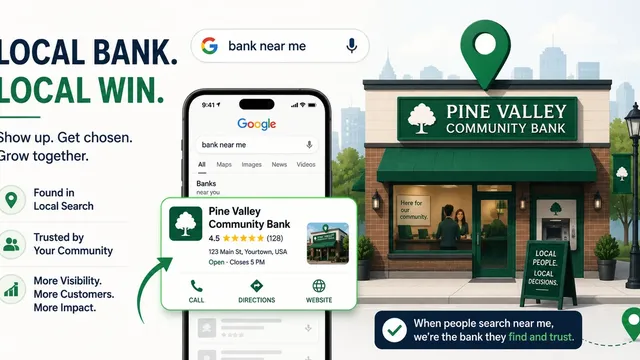
| LocalBusiness | Local SEO pages | Critical for local search visibility and Google Maps integration. |
| Review / AggregateRating | Review pages and product pages | Shows star ratings in search results. Builds trust and improves CTR. |
Start with Organization and Article schema on every site. Add FAQPage and HowTo for content-heavy pages. Validate each type using Google's Rich Results Test.
According to a 2026 analysis by Growth Natives, sites with complete schema implementations see 2-3x higher visibility in AI-generated search results compared to sites without structured data.
How to Structure Your Site for SEO
Site architecture affects both users and crawlers. A logical structure helps search engines understand your content hierarchy and distributes link equity effectively.
for more details.Principles of good site structure
- Flat hierarchy. Keep important content within 3 clicks of the homepage. Deep pages get less crawl attention.
- Descriptive URLs. Use clear, keyword-rich URLs like
/blog/technical-seo-guideinstead of/p=123. - Internal linking. Link related pages together. Every page should have at least one internal link pointing to it.
- Category pages. For blogs or e-commerce, use category pages as hubs that link to individual posts or products.
- HTML sitemap. Provide a user-facing sitemap that links to all important pages on your site.
How to audit your site structure
Run a crawler (Screaming Frog or the free alternative in our Bot Traffic Report tool) and combine results with log-based technical SEO audit methods and check:
- Are orphan pages getting no internal links?
- Is the crawl depth of important pages over 4 clicks?
- Are there redirect chains longer than 2 hops?
- Do all category pages have unique, descriptive content?
What Is Mobile-First Indexing and How Do You Prepare for It?
Google has used mobile-first indexing since 2021. This means Google primarily uses the mobile version of your site for ranking and indexing. If your mobile site is missing content that the desktop version has, that content will not rank.
for more details.How to check if your site is mobile-first ready
- Open Google's Mobile-Friendly Test and test your key pages.
- Check Google Search Console for mobile usability issues.
- Compare the HTML content served to mobile versus desktop. They should match.
- Ensure touch targets (buttons, links) are at least 48x48 pixels.
- Use responsive design (same HTML, different CSS) rather than separate mobile URLs.
Why HTTPS and Security Are SEO Requirements
HTTPS is a ranking signal. Google Chrome marks HTTP pages as "Not Secure," which hurts user trust and increases bounce rates. In 2026, there is no excuse for running an HTTP site.
Beyond HTTPS, consider:
- Security headers. Add Content-Security-Policy, X-Frame-Options, and Strict-Transport-Security headers.
- Regular security scans. Malware or hacked content gets flagged by Google and can result in manual penalties.
- Server monitoring. Frequent downtime signals low quality to both users and search engines.
How to Handle Duplicate Content with Canonical Tags
Duplicate content confuses search engines. When multiple URLs have the same or closely similar content, Google does not know which version to rank. Canonical tags solve this.
A canonical tag (<link rel="canonical" href="..." />) tells search engines which URL is the master version. Apply it when:
- Your site runs on both
httpandhttps. - Pages are accessible with and without
www. - URL parameters create near-identical pages (sorting, filtering, tracking).
- Content syndicated from other sources appears on your site.
Use self-referencing canonicals on every page. This prevents any confusion about the preferred URL.
How Does Technical SEO Affect AI Search and LLM Visibility?
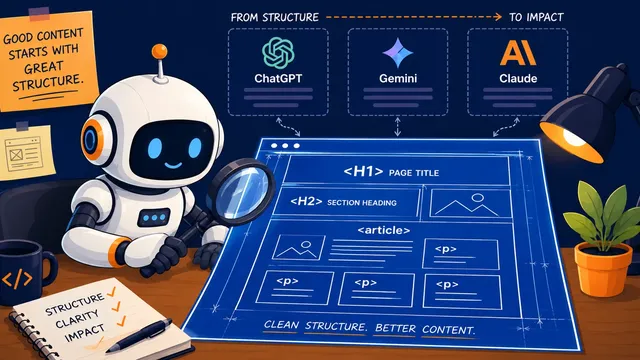
Generative Engine Optimization (GEO) is the practice of optimizing content for AI search engines like ChatGPT, Gemini, and Perplexity. Technical SEO plays a direct role in how well these systems discover and cite your content. For a focused guide on AI-specific technical optimization, see technical SEO for AI in 2026.
What matters for AI search visibility
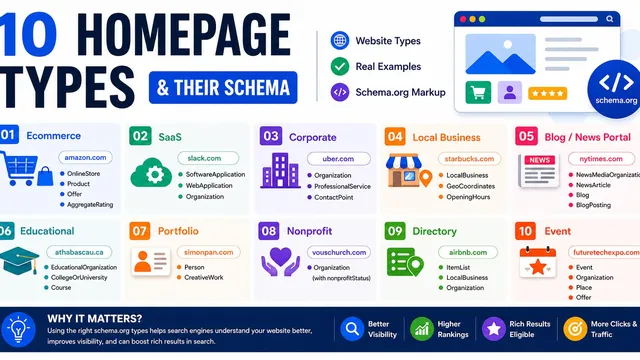
- Structured data (schema markup). AI systems parse JSON-LD to extract factual information. Pages with schema get cited more often. For homepage-specific schema choices, see the homepage schema options.
- Clean, crawlable HTML. AI crawlers (GPTBot, Claude-Web, Google-Extended) need to access your full content. Heavy JavaScript rendering can block them.
- Authoritative internal linking. Pages linked from high-authority sections of your site get prioritized by both search and AI crawlers.
- Bot management. Monitor AI crawler traffic using the Bot Traffic Report tool to understand which AI systems are crawling your site and how frequently. For deeper analysis, read the complete guide on AI bot traffic detection and control.
The HOTH's 2026 technical SEO guide confirms that schema markup and AI citations are converging. Schema does not guarantee a citation, but it significantly increases the probability that an AI system will extract and cite your data accurately.
Frequently Asked Questions
What is the most important technical SEO factor in 2026?
Core Web Vitals, specifically LCP and INP, are the most impactful because they affect both user experience and crawl budget allocation. Sites with fast, responsive pages get crawled more and rank higher.
Do I need schema markup on every page?
Not every page, but every important page. Start with Organization schema on the homepage and Article schema on blog posts. Add FAQPage and HowTo schemas where the content format matches.
How often should I run a technical SEO audit?
Run a full audit monthly. Crawl budget issues, broken links, and performance regressions can appear quickly. Weekly spot checks of Google Search Console for new issues is a good habit.
Does crawl budget matter for small websites?
Rarely. Google handles small sites under 2,000 pages efficiently. Focus on crawl quality (no broken links, clean sitemaps) rather than crawl quantity.
Technical SEO Checklist for 2026
- Submit XML sitemap to Google Search Console
- Optimize robots.txt to block low-value pages
- Fix all 404 errors and broken internal links
- Replace redirect chains with direct 301 redirects
- Achieve LCP under 2.5 seconds
- Achieve INP under 200 milliseconds
- Achieve CLS under 0.1
- Add Organization schema to homepage
- Add Article schema to all blog posts
- Add BreadcrumbList schema site-wide
- Validate all schema with Google Rich Results Test
- Ensure mobile and desktop serve identical content
- Set up HTTPS with security headers
- Add self-referencing canonical tags to every page
- Audit internal linking depth (max 3 clicks)
- Monitor AI crawler traffic in server logs
- Run monthly crawl report in Google Search Console